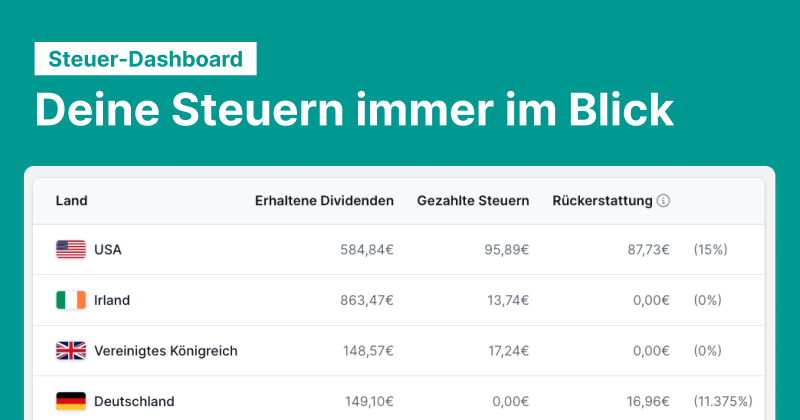
With the latest Parqet update, the new Tax Dashboard is now available to all Parqet subscribers.
The Tax Dashboard provides valuable insights into tax payments, broken down by different activities such as buys, sells, and dividends, for each year. For investors who invest in dividend stocks, we also provide detailed information about the withholding tax paid.
The Tax Dashboard insights in detail
The Tax Dashboard is available to all Parqet subscribers in the web app. Access it via the Analysis tab in the side navigation and by clicking on the "Taxes" tab.
At launch, the Tax Dashboard contains two tables:
1. Taxes per year, categorized by activity type
 In the upper table, you get an overview of the taxes paid per activity type and year. This way you can see at a glance how your tax burden has changed over time and which activity types have contributed to it.
2. Withholding tax table for dividends and distributions
A topic that should be familiar to dividend investors is the so-called withholding tax.

A withholding tax may be levied on dividends paid by foreign companies - for example, 30% in France. You can get this withholding tax partially refunded. Your bank or broker may do this for you in part, or you can take matters into your own hands.
In the Tax Dashboard, we show you how much withholding tax you have paid per year and per country. In the "Refund" column, we also give you an estimate of how high the withholding tax refund could be.
New to Parqet?
With Parqet, we work every day to remove barriers to wealth building. To do this, we build tools that allow you to keep track of your portfolio without much effort, whether at home or on the go.
See how Parqet can simplify your wealth planning, or create your free portfolio in just a few seconds.
Create Portfolio