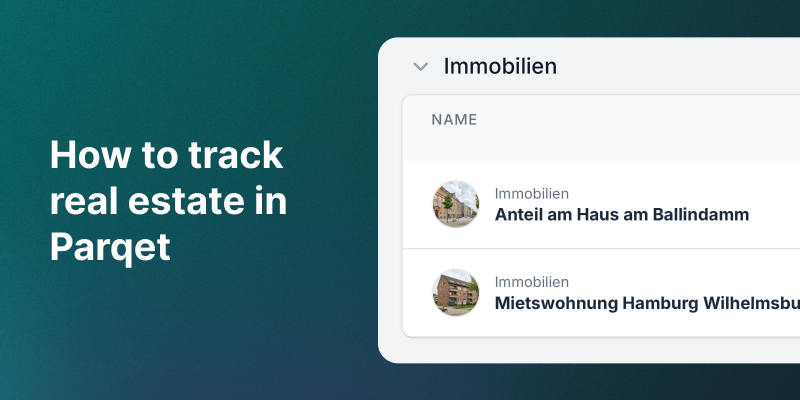
Real estate is one of the most important asset classes for many investors. Yet until now, there was no way to see it alongside stocks and ETFs in a combined overview. That changes now.
Why track real estate in your portfolio tracker?
If you own a rental apartment or a house as an investment, you want to know:
- How does the property value develop compared to my other investments?
- What is my total return including rental income?
- What share does real estate make up of my total wealth?
Parqet now answers exactly these questions.
Step by step: Add a property
1. Create a new asset
Open your portfolio and create a new asset:
- App: Tap the + button (bottom right) → Manual → Real Estate
- Web: Click + Add Activity (bottom right) → Manual → Real Estate
Give your property a descriptive name, for example "Apartment Munich" or "Multi-family house Berlin". Optionally upload a photo so you can instantly recognize it in your portfolio overview. You can upload the image when creating the asset or change it later via the holding management.
2. Enter purchase price and valuations
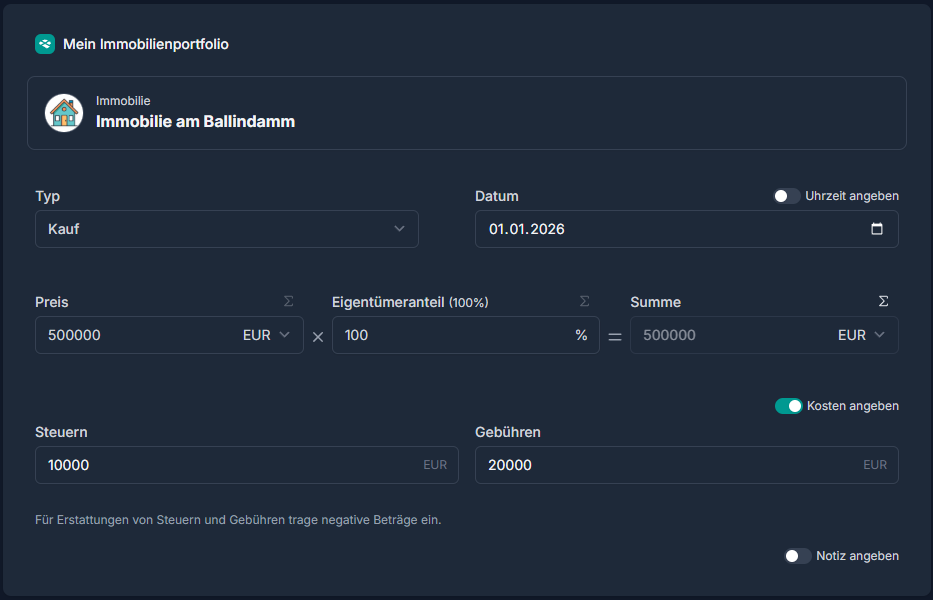
Enter the purchase price as the first valuation. Add further valuations over time to track value development:
- Purchase date: Purchase price of the property (e.g., 350,000 EUR)
- Annual updates: Estimated market value based on comparables or appraisals
- After renovations: Updated value after value-enhancing measures
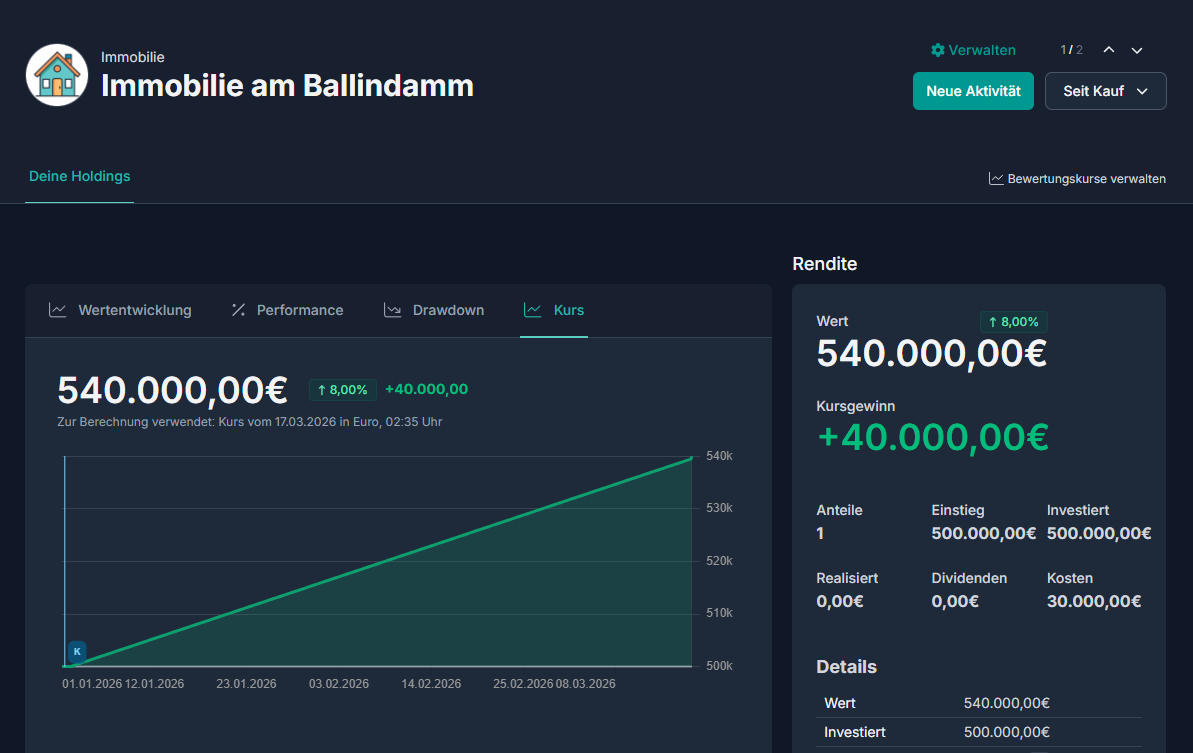
You can update the valuation as often as you like. Parqet automatically calculates the value development.
3. Record rental income and costs
The big advantage over a spreadsheet: You can record rental income and costs directly in Parqet.
- Rental income: Monthly rent, utility cost settlements
- Fees: Maintenance fees, repair reserves, renovations, administrative costs, notary, agent commission
- Taxes: Transfer tax, property tax, capital gains tax, depreciation
Costs can be recorded separately as fees and taxes, giving you a clean overview of all cost categories.
This way you see the true total return including all costs. We've also recently updated the activity form, making it even easier to record cash flows.
Loans and financing
Most properties are financed with a mortgage. In Parqet, you can track your financing via a cash account: loan disbursement, repayments, and interest are recorded so your portfolio reflects the actual net value (property value minus remaining debt). A detailed step-by-step guide with different options is available in our real estate FAQ.
Complex structures? No problem
Beyond standard apartments and houses, you can also map more complex real estate setups – for example usufruct agreements, gifted properties, or inheritance scenarios. Using the ownership share feature, you can also track partial ownership (e.g., 50% for jointly owned property). Detailed examples for inheritance and couple scenarios are in the FAQ.
Example: Rental apartment
Here's a concrete example of how a rental apartment might look in Parqet:
| Date | Event | Type | Amount |
|---|---|---|---|
| Jan 2022 | Purchase (valuation) | Valuation | 320,000 EUR |
| Jan 2022 | Transfer tax | Tax | -20,800 EUR |
| Jan 2022 | Notary & land registry | Fee | -5,600 EUR |
| Jan 2022 | Agent commission | Fee | -11,400 EUR |
| Monthly | Rental income | Income | +1,100 EUR |
| Monthly | Maintenance fees | Fee | -350 EUR |
| Annually | Property tax | Tax | -800 EUR |
| Feb 2024 | New valuation | Valuation | 345,000 EUR |
| Feb 2026 | Current valuation | Valuation | 370,000 EUR |
In Parqet, you can then see at a glance: value appreciation, cumulative net rental income, and total return – including all purchase costs.
Real estate in the context of your total portfolio
Through the integration in Parqet, you can answer questions like:
- What is the real estate share of my total wealth?
- How does my property compare to the MSCI World?
- What is my total return when combining stocks, ETFs, and real estate?
This gives you a realistic picture of your wealth, across all asset classes.
Also available on mobile
This feature is available not only in the web app, but also in the Parqet mobile app for iOS and Android. You can create properties on the go, update valuations, and upload images directly from your phone.
Good to know
- Manual entry only: Real estate is currently entered manually – CSV import and autosync are not yet available
- Earliest date: The earliest possible investment date is January 1, 1990
- Separate portfolio: If you use an autosync portfolio, we recommend a separate portfolio for real estate to avoid interference. You can combine everything using views.
- Gross vs. net rent: Only enter gross rent if you also record operating costs as fees – otherwise use net rent
Detailed instructions on all of these topics are in the real estate FAQ.
Tips for real estate tracking
- Regular valuations: Update the value at least once a year
- Record all cash flows: Only complete data gives you an accurate picture
- Multiple properties: Create a separate asset for each property
- Use photos: Upload a photo to quickly identify properties in the overview
Try it now
Add your first property in Parqet now and see your total wealth in one dashboard.
New to Parqet?
At Parqet, we work every day to lower the barriers to building wealth. We build tools that let you keep an eye on your portfolio without much effort, whether at home or on the go.
See how Parqet can simplify your wealth planning, or create your free portfolio in seconds.
Related articles
- FAQ: Real estate in Parqet – Detailed guide covering loans, inheritance, couples, and more
- New: Track real estate, watches, cars, and more in Parqet
- How to track tangible assets like watches and cars in Parqet